> ## Documentation Index
> Fetch the complete documentation index at: https://docs.riqra.com/llms.txt
> Use this file to discover all available pages before exploring further.
# ¿Cómo administro los banners de mi eCommerce?
> Administrar los banners de tu eCommerce es muy sencillo. A continuación te enseñaremos cómo hacerlo. 😎 1\. Ingresa a admin.riqra.com y ubica tu…
Administrar los **banners** de tu eCommerce es muy sencillo. A continuación te enseñaremos cómo hacerlo. 😎
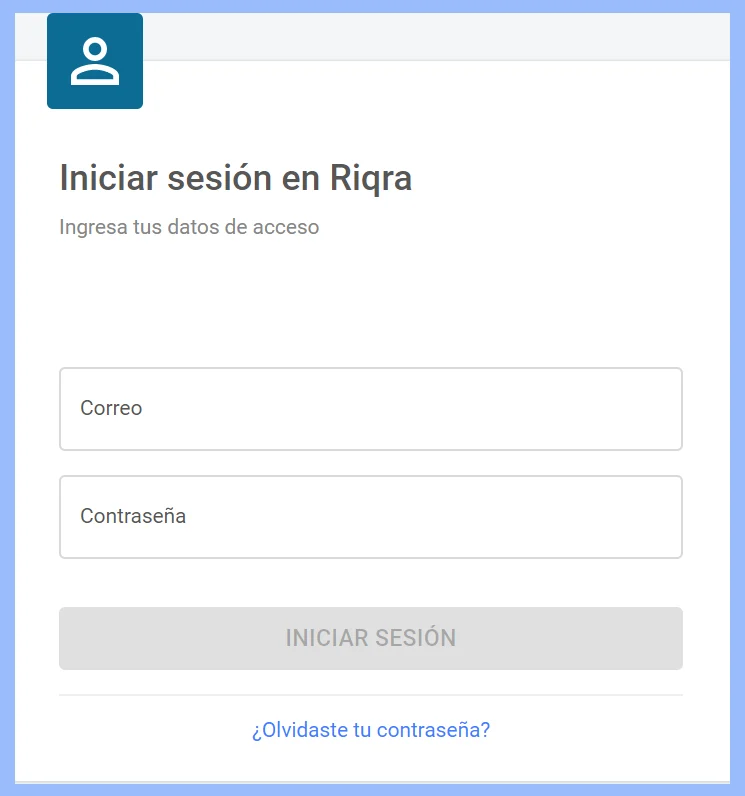
#### 1. Ingresa a **admin.riqra.com** y ubica tu usuario y contraseña.
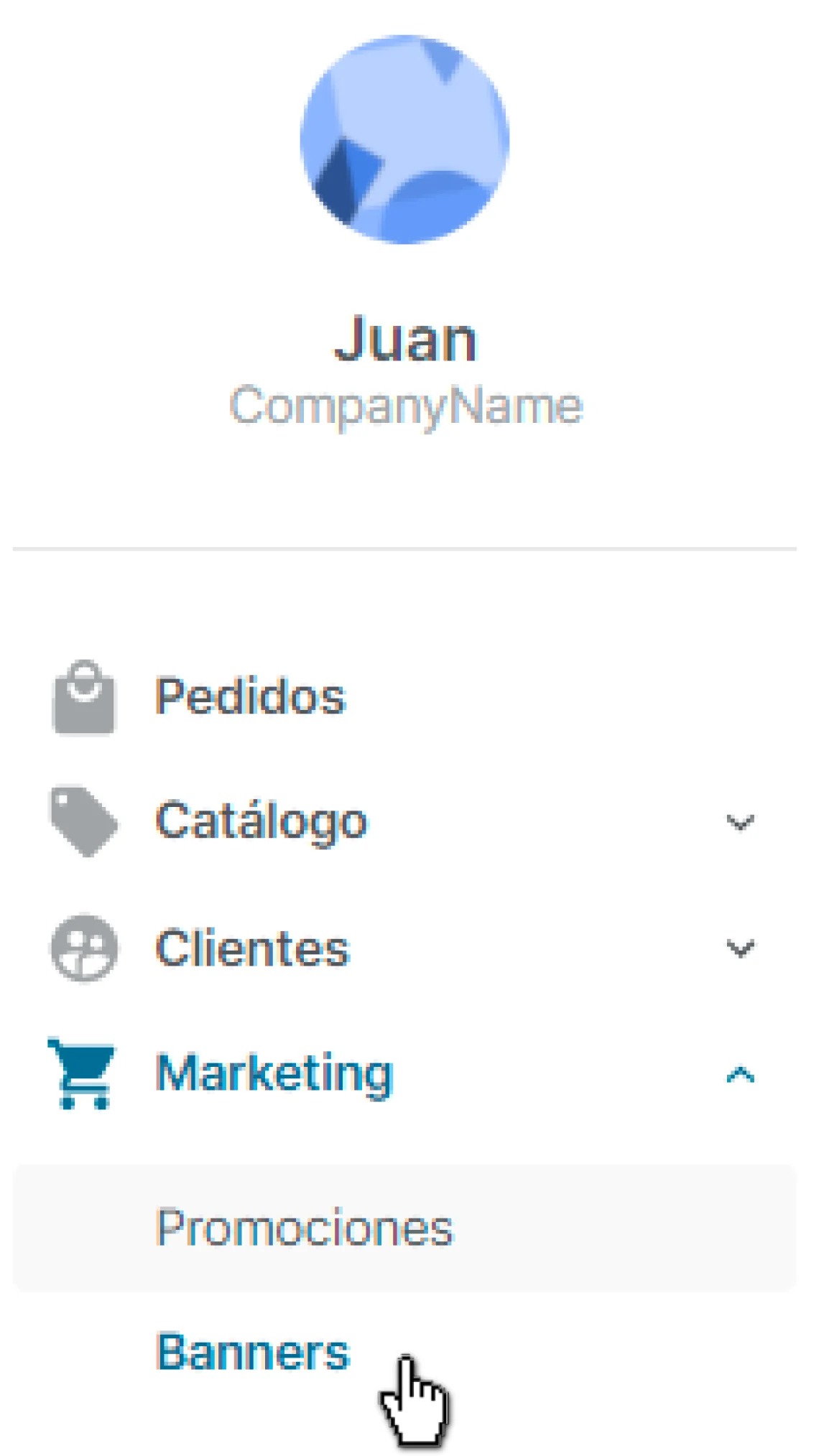
###  #### 2. En el panel derecho, haz clic en **"Marketing"** y luego en **"Banners"**.
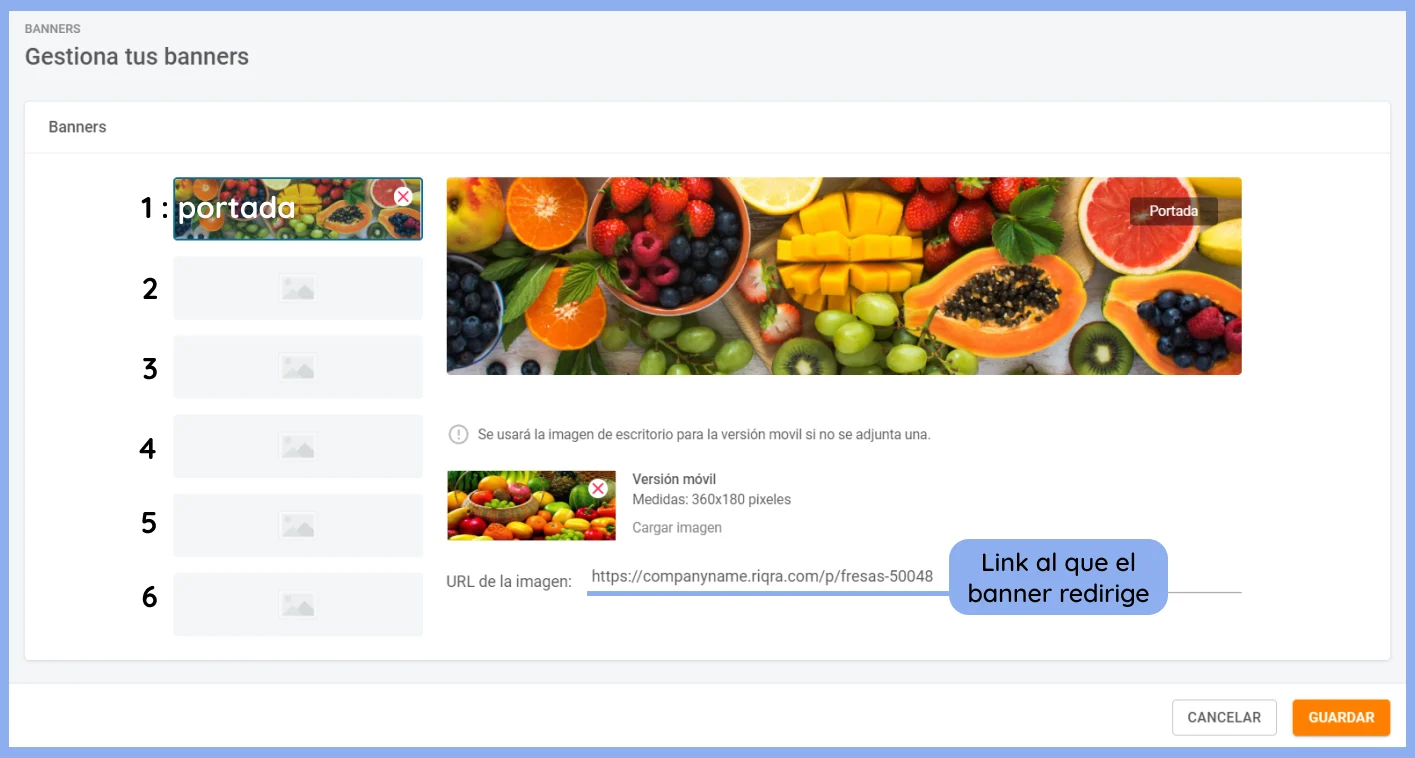
 #### 3. Visualizarás esta pantalla. Si ya tienes banners, aparecerán en esta sección.
* El **orden de visualización** de los banners depende del orden en esta lista. El primero es la portada, el número 2 aparecerá segundo, y así sucesivamente.
* El número máximo de banners es 5.
* Cada banner puede redirigir a un link del eCommerce.
#### 3. Visualizarás esta pantalla. Si ya tienes banners, aparecerán en esta sección.
* El **orden de visualización** de los banners depende del orden en esta lista. El primero es la portada, el número 2 aparecerá segundo, y así sucesivamente.
* El número máximo de banners es 5.
* Cada banner puede redirigir a un link del eCommerce.
 #### 4. Para **agregar un banner**.
* Haz clic en uno de los recuadros vacíos.
* Clic en "Adjuntar una imagen" o simplemente arrastra una allí
👀 Es importante que tus imágenes tengan las medidas correctas.
Para desktop, la medida recomendada y máxima por cargar es de **2700x675px.**
#### 4. Para **agregar un banner**.
* Haz clic en uno de los recuadros vacíos.
* Clic en "Adjuntar una imagen" o simplemente arrastra una allí
👀 Es importante que tus imágenes tengan las medidas correctas.
Para desktop, la medida recomendada y máxima por cargar es de **2700x675px.**
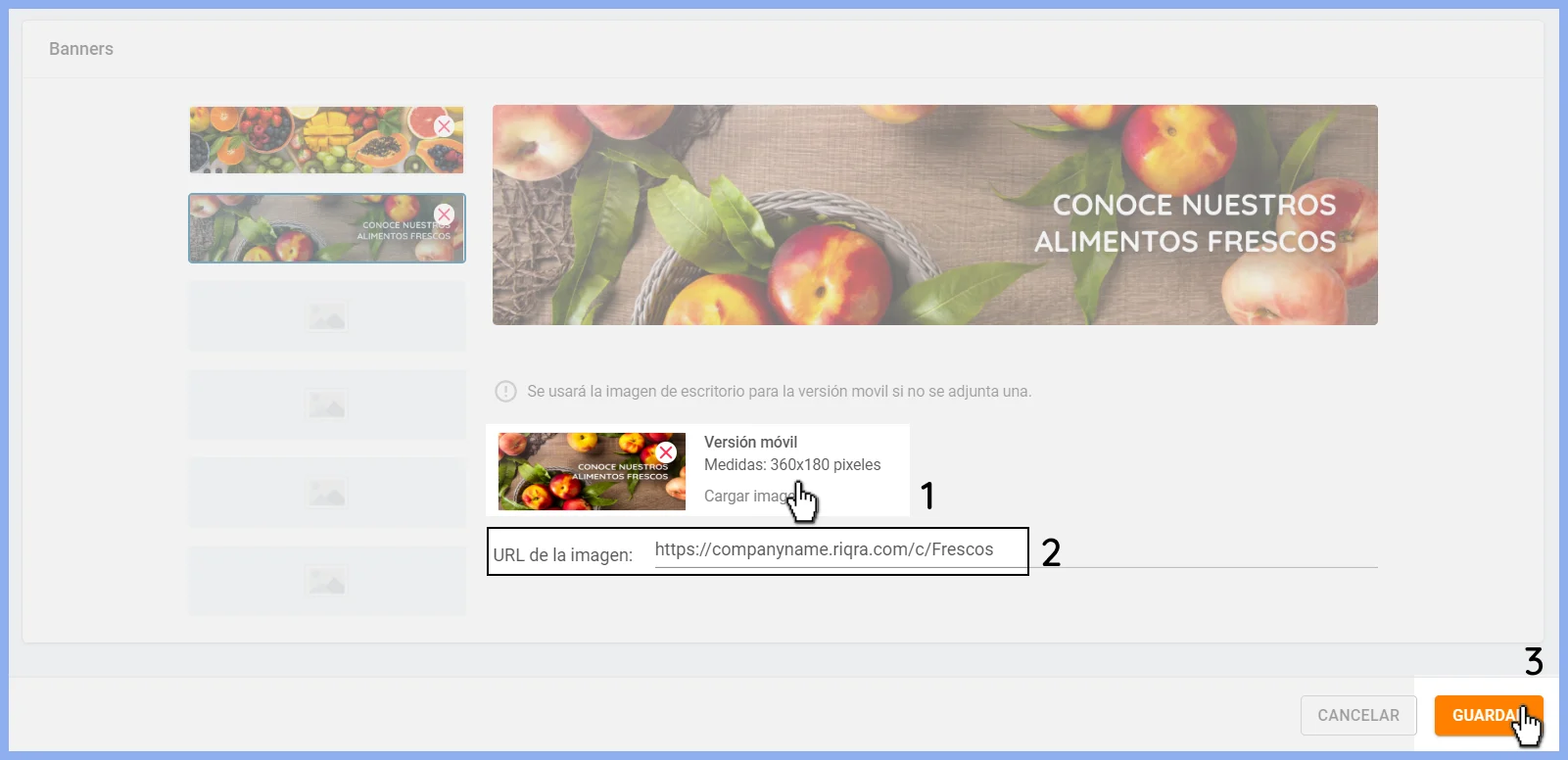
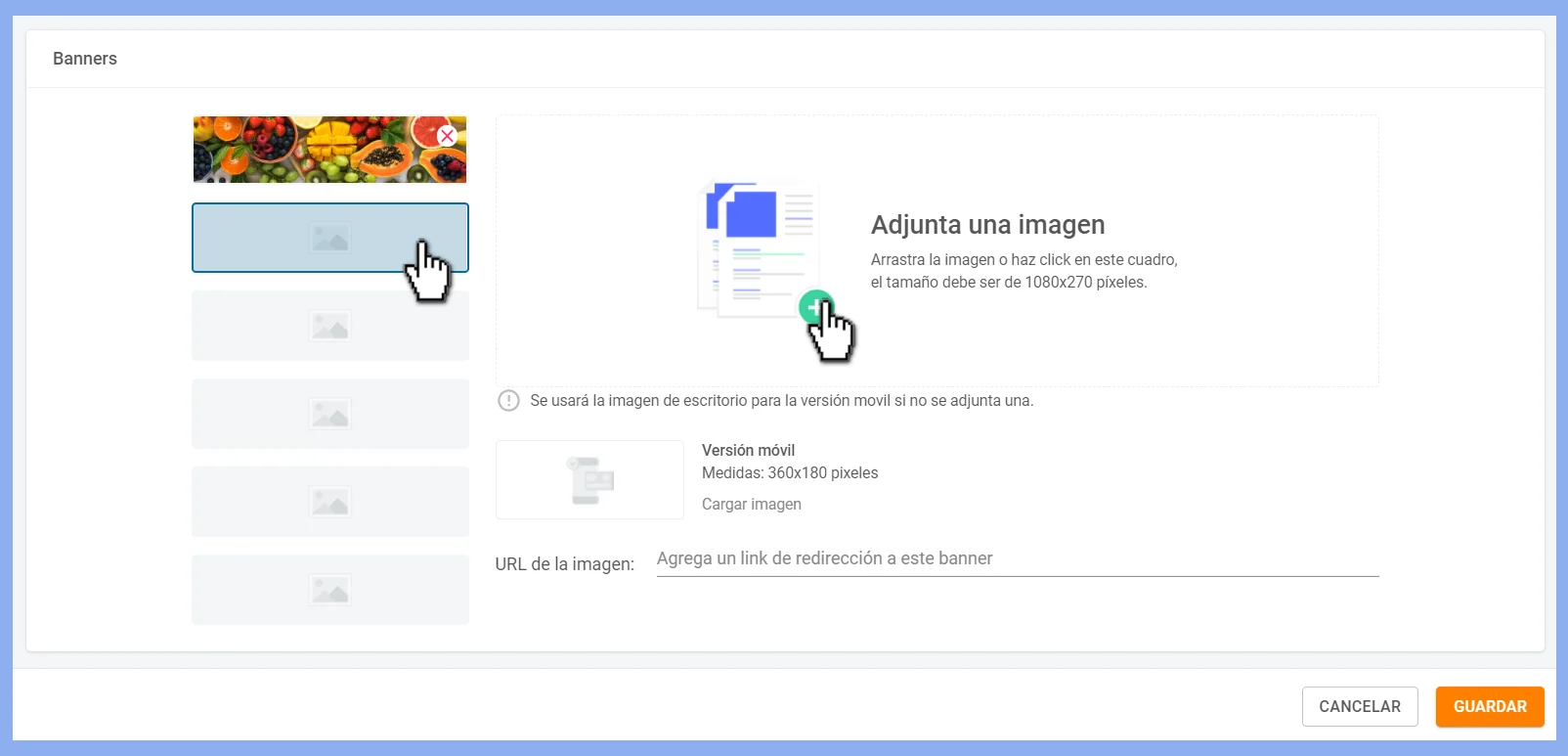 * A continuación, agrega la **imagen versión móvil** (1080 x 540px. para mayor calidad) haciendo clic en **Cargar imagen**. Se usará la imagen desktop en caso no adjuntes una.
* Añade la URL a la que se redirigirá cuando hagas clic en el banner. Ej.: promociones o alguna categoría.
* Clic en guardar para visualizar los cambios en tu eCommerce.
* A continuación, agrega la **imagen versión móvil** (1080 x 540px. para mayor calidad) haciendo clic en **Cargar imagen**. Se usará la imagen desktop en caso no adjuntes una.
* Añade la URL a la que se redirigirá cuando hagas clic en el banner. Ej.: promociones o alguna categoría.
* Clic en guardar para visualizar los cambios en tu eCommerce.
 #### 5. Para **cambiar el orden de los banners**.
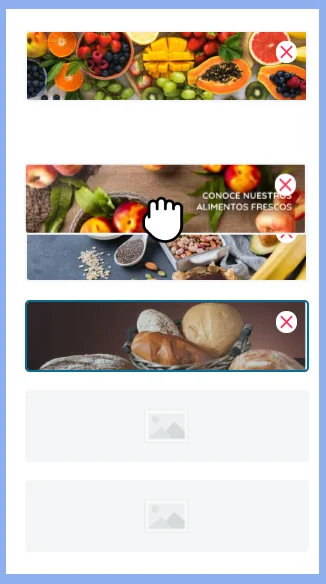
* Arrastra los recuadros de la izquierda para mover el orden de los banners.
* Clic en Guardar.
#### 5. Para **cambiar el orden de los banners**.
* Arrastra los recuadros de la izquierda para mover el orden de los banners.
* Clic en Guardar.
 #### 6. Para **eliminar un banner**.
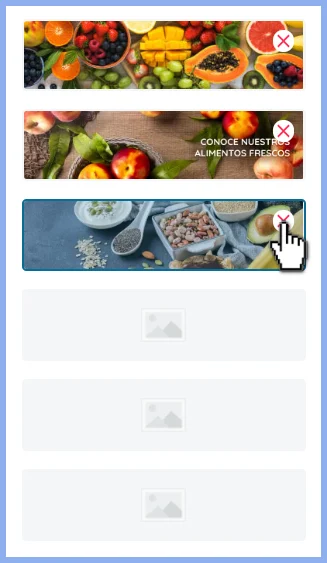
* Haz clic en la "X" que aparece en el cuadro que quieres eliminar.
* Clic en Guardar.
#### 6. Para **eliminar un banner**.
* Haz clic en la "X" que aparece en el cuadro que quieres eliminar.
* Clic en Guardar.
 Si tienes alguna duda, escríbenos a [soporte@riqra.com](mailto:soporte@riqra.com).