> ## Documentation Index
> Fetch the complete documentation index at: https://docs.riqra.com/llms.txt
> Use this file to discover all available pages before exploring further.
# Obtener API KEYS desde el panel administrador 🔗
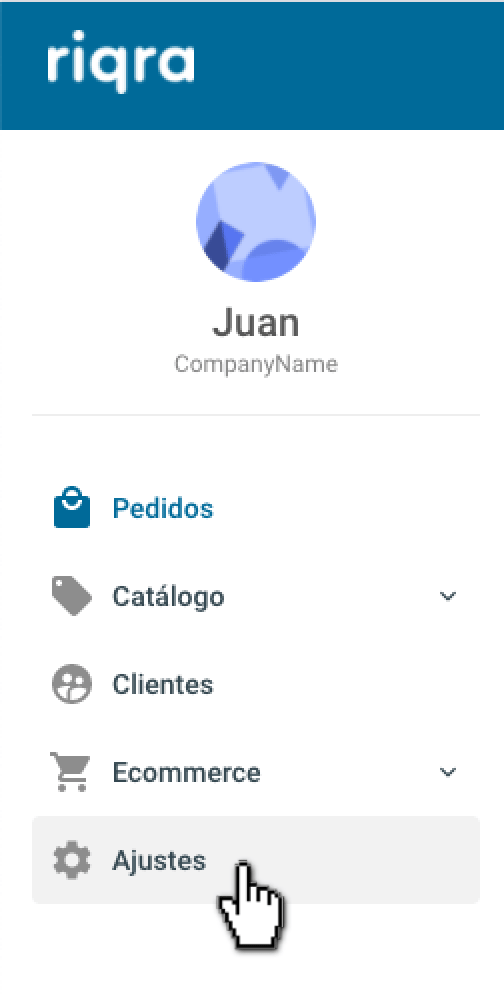
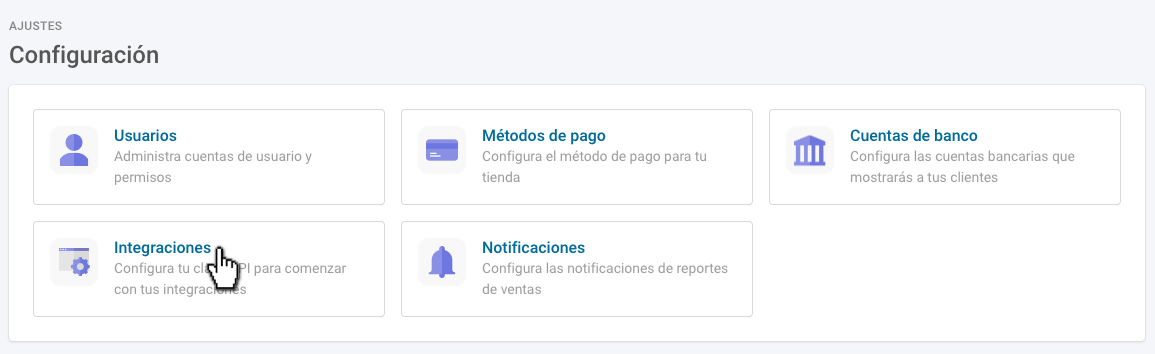
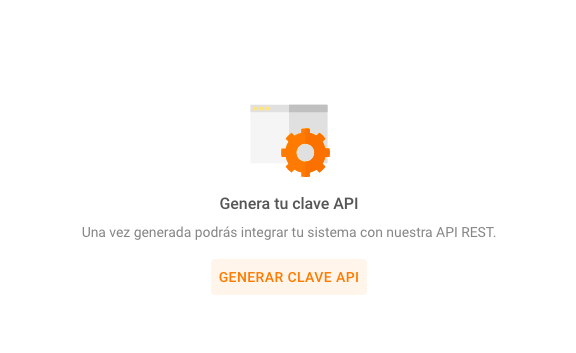
> 1\. En la pestaña "Ajustes" 2\. Dentro de las opciones seleccionar "Integraciones" 3\. En "Integraciones" se genera el API KEY haciendo clic en…
1\. En la pestaña "Ajustes"
 2\. Dentro de las opciones seleccionar "Integraciones"
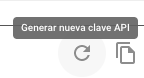
 3\. En "Integraciones" se genera el API KEY haciendo clic en "Generar clave API"
 La clave debe ser copiada, con cuidado de no perder ningún valor.
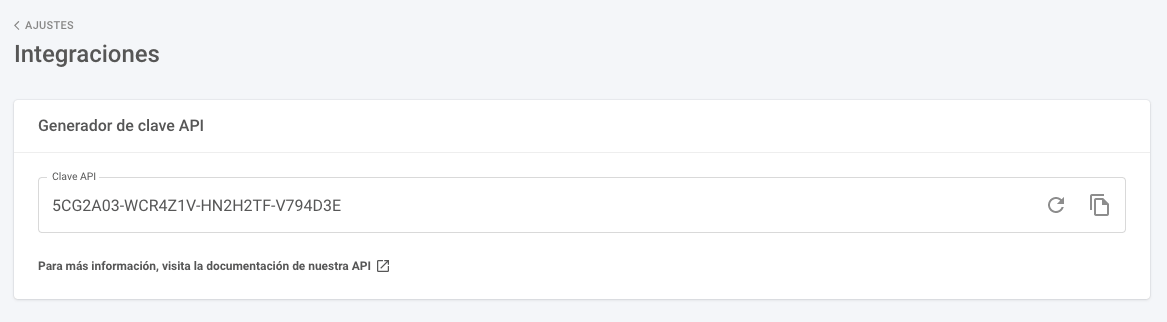 Si se desea generar una nueva clave para otra integración, hacer clic en la flecha circular.
 4\. Luego la clave debe ser ingresada en:
**[https://developers.riqra.com/](https://developers.riqra.com/)**
Ahí también se completará el resto del proceso de integración 🔗 y se encontrarán los siguientes pasos.
📩 Ante cualquier duda comunicate con nosotros en [soporte@riqra.com](mailto:soporte@riqra.com)
4\. Luego la clave debe ser ingresada en:
**[https://developers.riqra.com/](https://developers.riqra.com/)**
Ahí también se completará el resto del proceso de integración 🔗 y se encontrarán los siguientes pasos.
📩 Ante cualquier duda comunicate con nosotros en [soporte@riqra.com](mailto:soporte@riqra.com)